
Add PBS to Proxmox VE
Example Firewall Rule

Ports:
- 8007
Add PBS to PVE
Get PBS Fingerprint
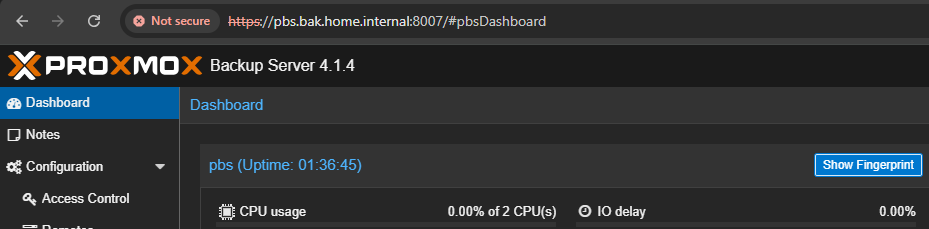
Click the "Show Fingerprint" button
Add Storage to PVE Datacenter
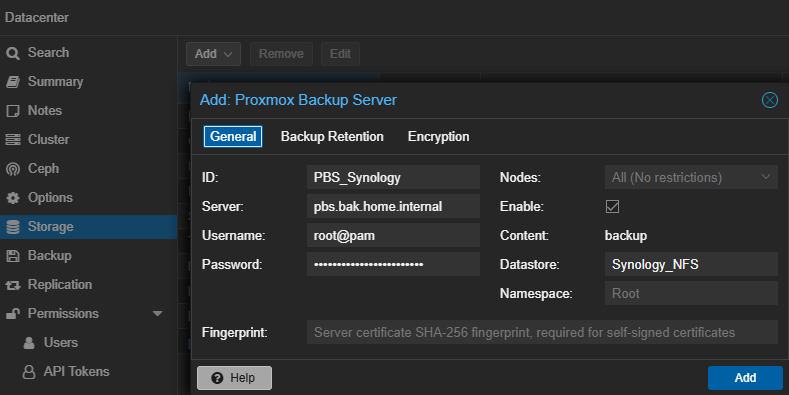
Log into PVE > Datacenter > Storage > Add > Proxmox Backup Server
Also, paste in your PBS Fingerprint
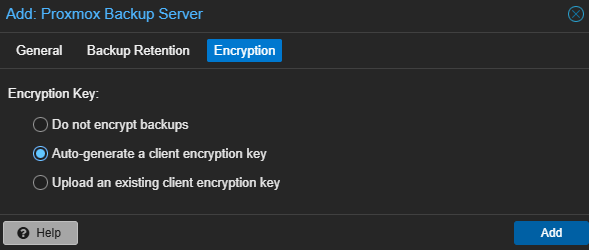
Auto-generate your encryption key and store in your password manager
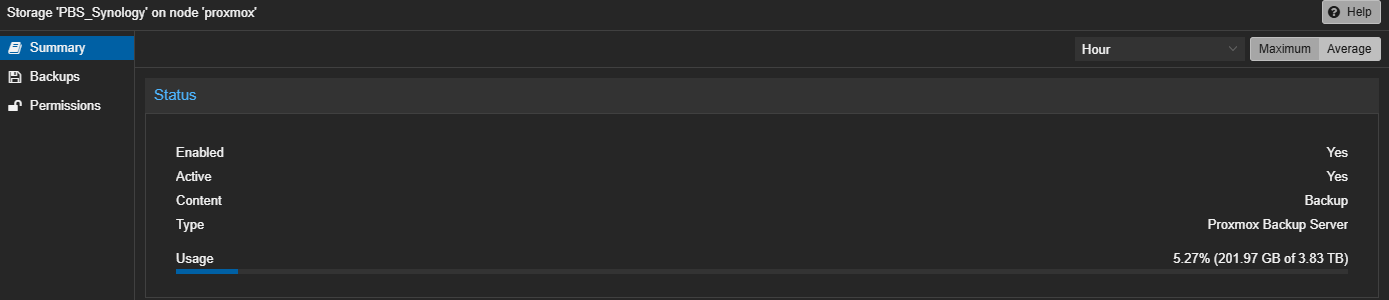
You can now select "PBS_Synology" (or whatever your NFS datastore was named) on the left side
Configure Backups in PVE
- Log into PVE
- Click on Datastore
- Click on Backup
- Click on Add
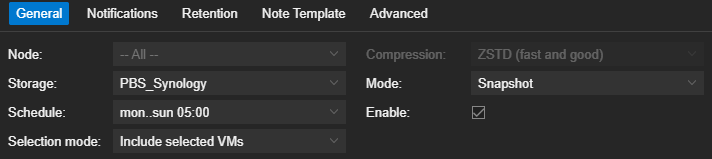
Note that "PBS_Synology" is selected as the Storage
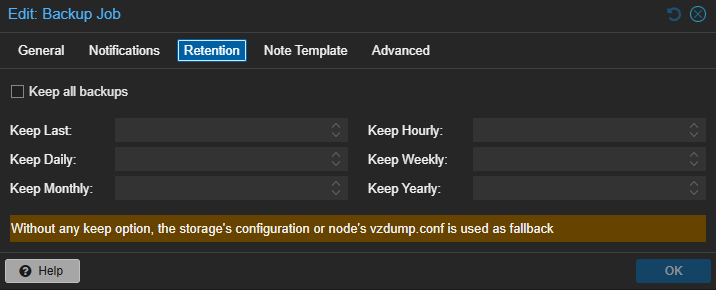
Leave empty to have PBS manage the retention policy

Click on "Run now" if you want to test your backup job
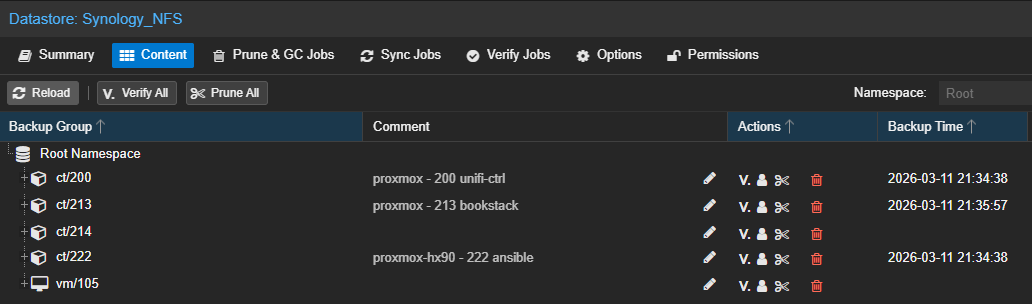
Backup job is running successfully, backups are showing in "Datastore > Synology_NFS > Content"