
Clustering: Same ZFS Pool on All Nodes
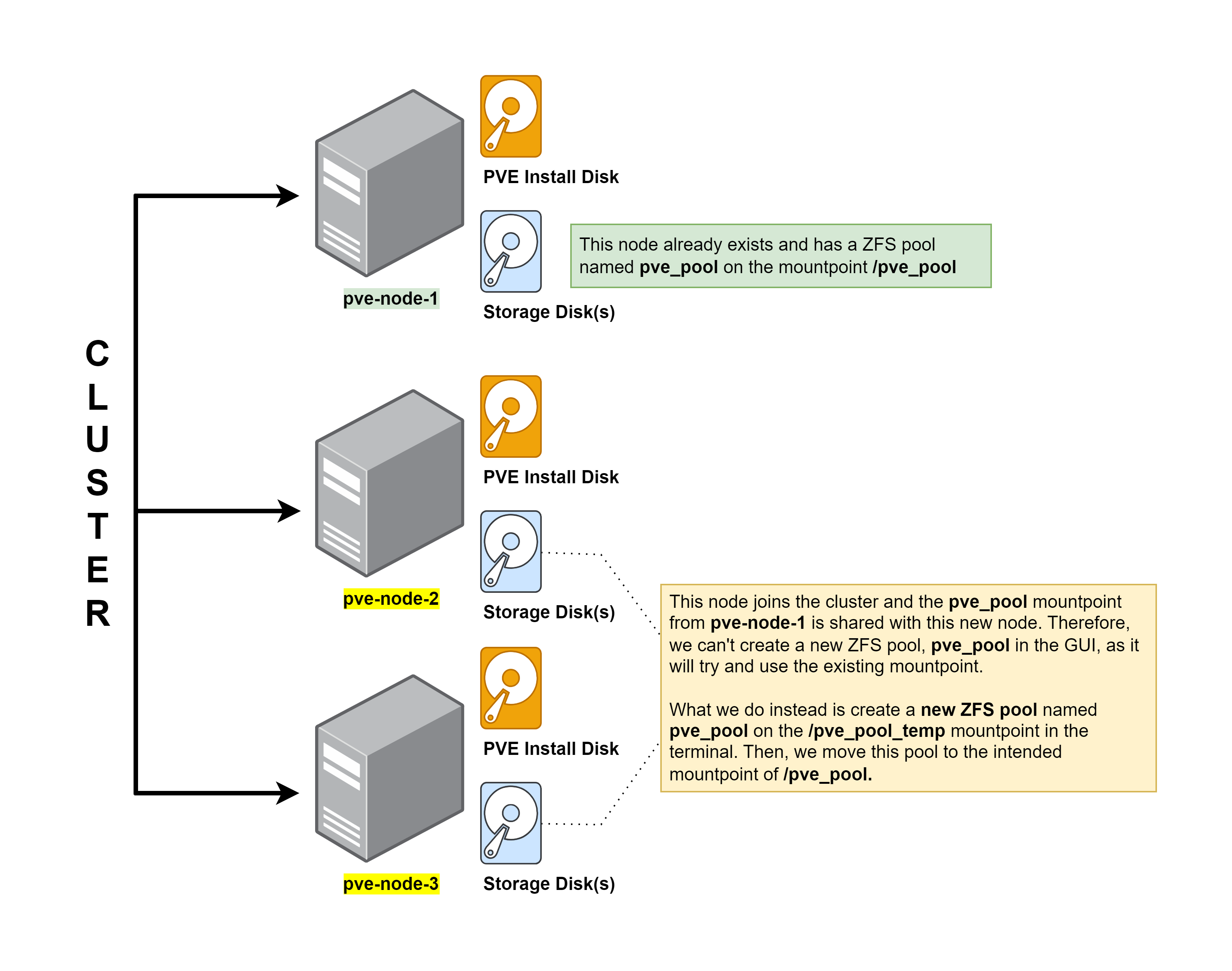
Example Configuration

Showing clustered PVE nodes

Migrating VMs between Nodes
The Problem
In order to migrate VMs and LXCs between PVE nodes, they need to have identical target storage configurations.
Existing Node Configuration
proxmoxnode has a ZFS pool with namerackdrivesmounted to/rackdrivesproxmoxnode has a VM with ID107107disk is stored on a ZFS volume calledGuest_Disks- The ZFS volume is mapped to the
/rackdrivespool

ZFS pool rackdrives is mounted to /rackdrives on the existing node

A ZFS volume mapped to the ZFS pool rackdrives for storing VM and LXC disks / mountpoints

Directories for storing various content mapped as subdirectories under /rackdrives/ on existing node
New Node Configuration
When the new node joins the PVE cluster, information in /etc/pve/* is shared with the new node. proxmox shares the storage configurations in /etc/pve/storage.cfg, which creates the /rackdrives directories and volume(s) shown below.
proxmox-hx90joins the PVE clusterproxmoxnode shares information from/etc/pve/*withproxmox-hx90/etc/pve/storage.cfgpoints several ZFS volumes and directories to/rackdrivesproxmox-hx90creates the ZFS directory structure locally

Showing PVE has mirrored the ZFS directories on the new node

So, even though PVE has created /rackdrives it's mapped to /rpool/ROOT/pve-1 and writing data to the wrong disks.
Even though proxmox-hx90 has just joined the cluster, the /rackdrives mountpoint already exists, because PVE nodes share storage information between themselves
Creating ZFS Pool on New Node
Errors in the GUI

If I use the GUI to create rackdrives on my new node(s), it will try and set the mountpoint to /rackdrives. However, this will fail, because the /rackdrives mountpoint already exists (as shown above).

Advises us to use -m to specify a custom mountpoint, which is not an option in the GUI
The Solution
Create ZFS Pool in the Shell
Using the shell, we can create a placeholder mountpoint with the name rackdrives and then shift the mountpoint after creation.
find /dev/disk/by-id | grep -v partList disks by ID and find your target disk(s), usually should be able to tell by manufacturer name
zpool create -m /rackdrives-tmp -o ashift=12 rackdrives mirror \
/dev/disk/by-id/ata-GIGASTONE_SSD_1TB_GSTMFAACMI24451259 \
/dev/disk/by-id/ata-GIGASTONE_SSD_1TB_GSTMFAACMI24451260
You can also copy and paste the command from the error log to target the correct disk(s)
- Create a ZFS pool called
rackdrivesmounted to/rackdrives-tmp - In a mirror configuration
- Targeting two disks
zfs set mountpoint=/rackdrives rackdrivesChange the mountpoint from /rackdrives-tmp to /rackdrives
zfs set compression=lz4 rackdrivesEnable compression
rm -rf /rackdrives-tmpRemove the placeholder mountpoint
Change Storage Settings in Datacenter
Finally, go to the Datacenter view and click Storage. Now, you can safely indicate that the Guest_Disks target can be shared on the rackdrives pool on all nodes. This will allow live migration to complete without any issues.

Do the same for your ZFS mounted directories